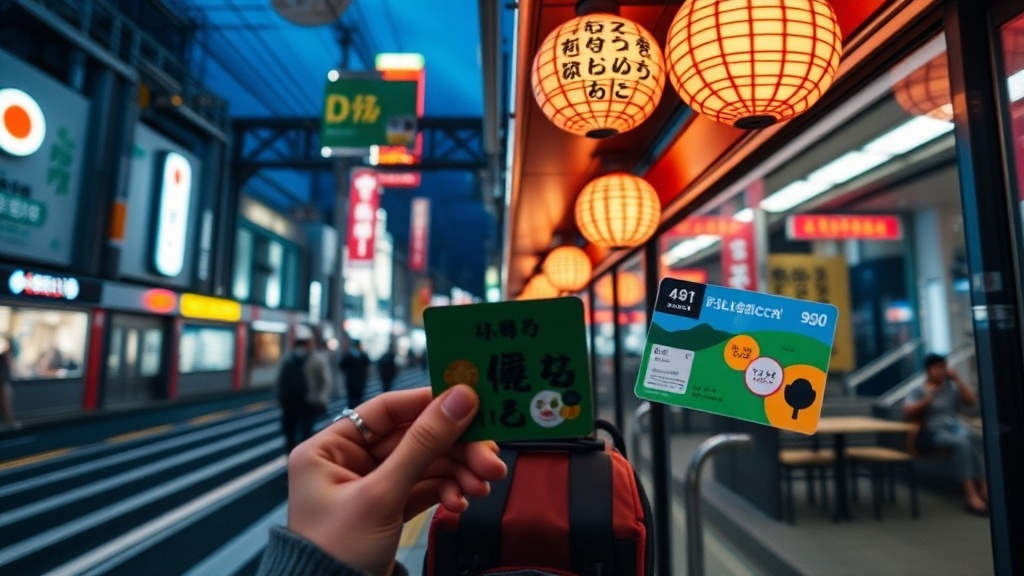
How to Use a Suica Card for Smooth Travel in Japan

A traveler stands before a ticket vending machine at Shinjuku Station, staring at a complex grid of buttons and flashing lights. Behind them, a line of commuters forms, a silent queue of people moving with practiced, rhythmic efficiency. The traveler realizes they do not have enough yen in cash for the specific fare required, and the machine does not accept foreign credit cards directly. This friction is common for those arriving in Japan without a plan for local transit. This guide explains how to acquire, load, and use a Suica card to ensure your movement through Japanese cities is seamless and predictable.
A Suica card is a rechargeable smart card used for transit and small purchases across Japan. It functions via near-field communication (NFC) technology, allowing you to tap through ticket gates at train stations, bus entrances, and even at vending machines or convenience stores. Using a Suica removes the need to calculate individual fares or carry exact change for every single trip, making it an essential tool for navigating the complex networks of Tokyo, Osaka, and beyond.
Understanding the Types of Suica Cards
Before you attempt to purchase a card, you must understand that there are different versions available, and availability can fluctuate due to semiconductor shortages. Choosing the right one depends on whether you want a physical object or a digital integration on your smartphone.
The Digital Suica (Apple Pay and Google Pay)
For most modern travelers, the digital Suica is the most efficient option. If you carry an iPhone or an Android device with NFC capabilities, you can add a Suica card directly to your digital wallet. This method allows you to top up your balance using a credit card stored in your phone, bypassing the need to find a physical machine or a human teller. You simply tap your phone against the reader at the station gate. This is particularly useful when you are running late and do not have time to locate a ticket machine.
The Physical Suica Card
Physical cards are becoming harder to find for general tourists due to global chip shortages. However, you can still find specific versions designed for visitors. The Welcome Suica is a specialized version of the card designed specifically for short-term tourists. It is valid for 28 days and does not require a refundable deposit, but it also cannot be used to add remaining funds back to a bank account—once the 28 days are up, any remaining balance is lost. You can typically find these at Narita or Haneda airports.
The Pasmo Alternative
You may encounter Pasmo instead of Suica. While Suica is primarily associated with the JR East group, Pasmo is used by many private railway and bus companies in the Tokyo area. For a traveler, they are functionally identical. You can use a Pasmo card on JR lines and a Suica card on private lines; they are interoperable across almost all major metropolitan transit systems in Japan. If you find yourself in an area where one is more prominent, do not worry about which one you hold.
How to Acquire and Load Your Card
The method of acquisition depends entirely on whether you chose the digital or physical route. Follow these specific steps to ensure you are ready to move once you leave the airport.
Step 1: Acquisition
- Digital: Open the "Wallet" app on your iPhone or the Google Pay interface on your Android. Search for "Suica" or "Transit Card." Follow the prompts to add a new card. You will need to link a credit or debit card that supports international transactions.
- Physical (Airport): Locate the JR East Travel Service Center or a specialized vending machine at Narita, Haneda, or Kansai International Airport. Present your passport to prove tourist status if required. Purchase the Welcome Suica or a standard IC card if available.
Step 2: Adding Funds (Topping Up)
A Suica card is a "pre-paid" system. You must add money to it before you use it. If your balance hits zero while you are at a ticket gate, the gate will not open, and you will be forced to step aside to resolve the issue.
- Via Smartphone: Open your digital wallet, select the Suica card, and tap "Add Funds." Use your registered credit card to complete the transaction instantly.
- Via Ticket Machine: Look for machines labeled "IC Card Charging." Insert your physical card into the designated slot, select the amount you wish to add (usually in increments of 1,000 yen), and insert the required cash. Note that most ticket machines only accept Japanese Yen in cash, not international credit cards.
- Via Convenience Stores: You can go to the register at any Konbini (such as 7-Eleven, Lawson, or FamilyMart) and ask, "Suica charge, please." Hand them your card and the cash, and they will process the top-up for you.
Navigating Transit with Precision
Using the card is a simple physical action, but understanding the rhythm of the station will prevent you from obstructing the flow of local commuters.
Entering and Exiting Stations
At the ticket gate, look for the glowing blue or green illuminated sensor. Hold your phone (if digital) or your card (if physical) against the sensor area. Do not attempt to "swipe" the card through a slot; modern gates are designed for a single, firm tap. When exiting, you must tap again. The gate will display your remaining balance on the small screen above the gate. It is a good habit to check this balance frequently so you are not caught with an empty card during a crucial transfer.
Using Buses
Bus etiquette varies by city. In many cities like Kyoto, you enter through the rear door and exit through the front door after paying. In Tokyo, you often enter through the front door and tap your card upon exiting. Always look at the signage near the driver or the electronic display inside the bus. If you are using a Suica, you will tap the reader located near the exit door as you depart. The machine will beep to confirm the fare has been deducted.
The "Small Purchase" Utility
One of the most practical uses for a Suica card is at convenience stores and vending machines. If you are in a hurry and do not want to deal with coins, you can use your Suica to pay for coffee, snacks, or even a bottle of water at a machine. This is particularly helpful when you are traveling through smaller neighborhoods where you might want to shop at local markets or small kiosks and prefer not to carry heavy change.
Troubleshooting Common Issues
Even with a well-managed card, technical or human errors can occur. Knowing how to handle these situations will keep you calm in a high-pressure environment.
The Gate Won't Open
If the gate refuses to open, it is usually due to one of three reasons: an insufficient balance, a failed NFC reading, or a technical error with the card itself. If the screen displays an error message, do not panic. Step to the side of the gate to avoid blocking the path of other passengers. Locate the station staff member—they are usually positioned in a booth near the gates. Show them your card; they can scan it to tell you exactly why it failed and help you add funds or resolve the error.
Lost or Stolen Cards
If you are using a physical card and lose it, it is very difficult to recover the funds unless you purchased it at a major airport service center that offers registration. If you are using a digital Suica, you can often recover the card and its balance through your Apple or Google account settings, provided you have a backup of your device information. For physical cards, it is best to treat them with the same care as your passport.
Transferring Between Different Companies
If you travel from a JR line to a private subway line (like Tokyo Metro), you may have to pass through a second set of gates. In many cases, the system automatically calculates the transfer. However, in some complex interchanges, you may need to tap out of one system and tap into another. If the gates look different or are labeled for a different company, be prepared to use your card again. The Suica is designed to handle these transitions seamlessly across the vast majority of Japanese urban networks.
Summary Checklist for Travelers
To ensure your transit experience remains efficient, keep these points in mind:
- Check your balance: Always ensure you have at least 1,000 or 2,000 yen remaining to avoid gate delays.
- Carry cash: While digital top-ups work, many physical recharging machines only accept Japanese Yen.
- NFC Readiness: If using a phone, ensure your screen is awake and NFC is enabled before reaching the gate.
- The 28-Day Rule: If using a Welcome Suica, remember that it expires and cannot be renewed.
Steps
- 1
Purchase or add a digital Suica to your phone
- 2
Load your card with yen at a station kiosk or via mobile app
- 3
Tap the card on the reader at ticket gates
- 4
Check your remaining balance at the end of your journey